How to Choose the Best Robot Automation Software for Your Business?
In today's fast-paced business environment, choosing the right robot automation software is crucial. This decision can make or break your efficiency. Many options exist, but not all of them align with your specific needs. The right software should streamline operations, reduce errors, and enhance productivity.
Consider what tasks you want to automate. Different programs offer unique features. Some might excel in data entry, while others are better for customer interaction. It is essential to weigh these functionalities against your business objectives. While evaluating options, be aware of your budget and the software’s scalability. Will it grow with you?
In the end, you may face uncertainty. Perhaps you hesitate between a popular choice and a lesser-known one. Remember that the best robot automation software should not only solve problems but also support long-term vision. It might require adjustment and experimentation, but the right choice will lead to significant improvements.
Understanding Business Needs for Robot Automation Software
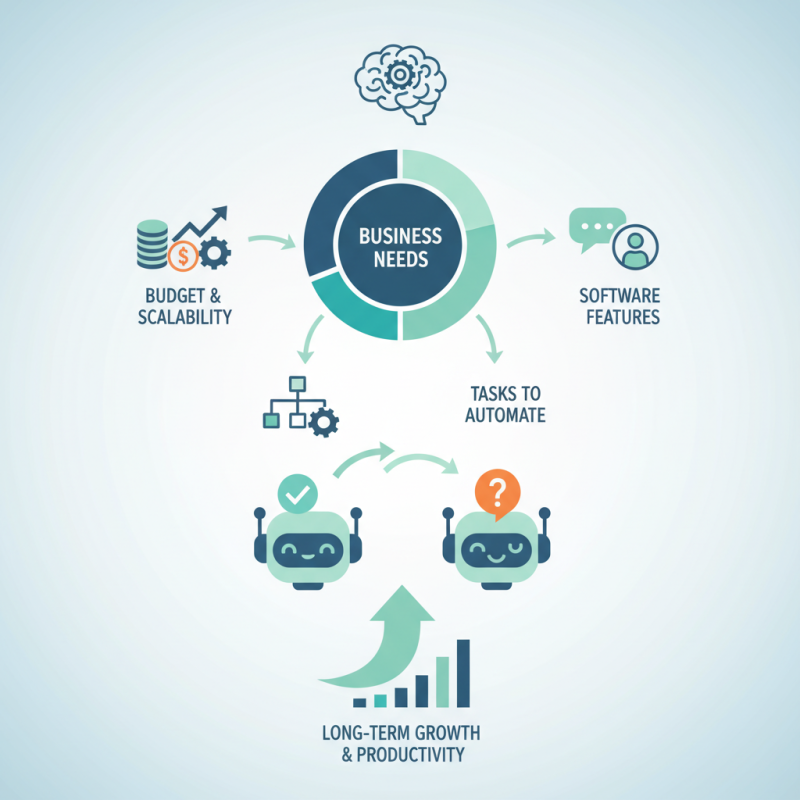
Choosing the right robot automation software requires a deep understanding of your business needs. Begin by assessing your current processes. Identify repetitive tasks that consume time and resources. These tasks are often the best candidates for automation. When considering software options, think about scalability. You want a solution that grows with your business, not one that becomes obsolete quickly.
Tips for selection: Involve your team in discussions. They understand daily challenges better than anyone else. Their feedback can highlight specific features that matter. Don’t overlook integration capabilities. The software should work seamlessly with existing systems, enhancing productivity rather than causing disruptions.
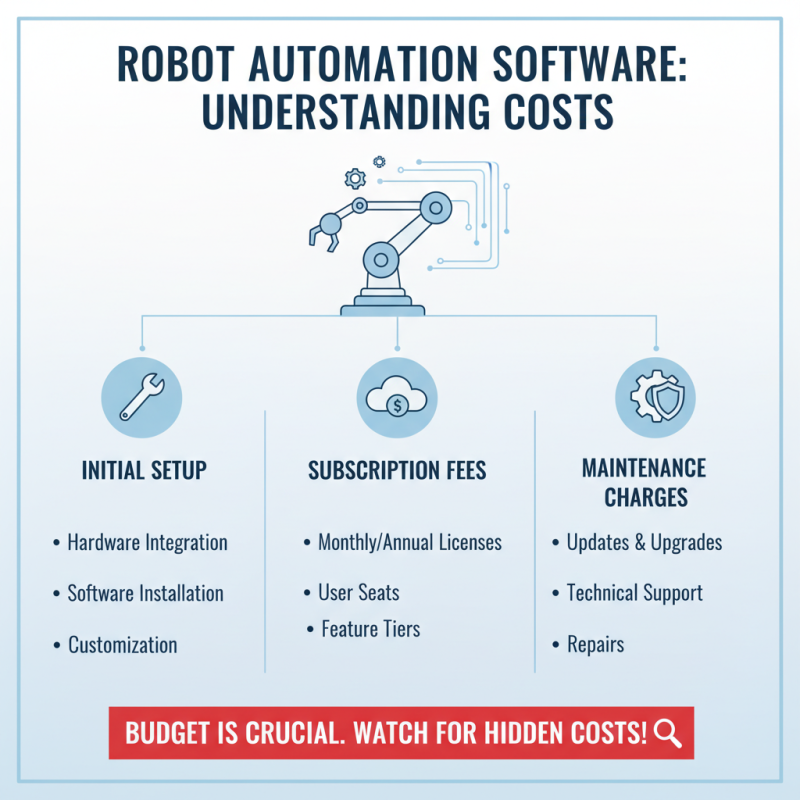
Lastly, don’t forget to weigh costs against benefits. It’s easy to get lured by flashy features, but does your team truly need them? Sometimes, simpler solutions do the job efficiently. Reflect on past software choices. Have any failed to deliver? Learning from these experiences can guide your current selection process.
Key Features to Look for in Automation Software
When selecting automation software, focus on key features that drive efficiency. An intuitive user interface is essential. Your team should quickly adapt to the system. Look for visual dashboards that present data clearly. The easier it is to understand, the better.
Integration capabilities matter too. The software should connect seamlessly with your existing tools. This can reduce time spent on repetitive tasks. Additionally, consider scalability. As your business grows, the software should evolve with you. Features like customizable workflows can help tailor the solution to your needs.
Another aspect to reflect on is support and resources. Quality customer support can save you headaches later. Check if tutorials and documentation are easily accessible. This will help your team troubleshoot without delay. Lastly, don’t overlook user feedback. Real experiences can reveal hidden strengths or weaknesses. Engaging directly with current users provides valuable insight.
Evaluating Vendor Reputation and Support Services
When selecting robot automation software, vendor reputation is crucial. Companies should research reviews and testimonials. Look for feedback from businesses similar to yours. This context helps understand potential performance. A vendor’s overall satisfaction ratings matter. High ratings usually indicate strong support and reliability.
Support services can make or break your experience. Effective communication with the vendor is key. Fast response times show how much they value their customers. Ensure they offer multiple support channels, like chat and email. Consider their knowledge base too. A well-organized system of guides can help you troubleshoot issues independently. Look for any red flags in customer service experiences.
Sometimes, businesses overlook the importance of ongoing support. Software updates and new features are vital for growth. If a vendor neglects updates, your investment may quickly feel outdated. Reflect on how potential vendors handle feedback. Are they open to suggestions? A proactive approach signals a commitment to customer satisfaction. Make notes and compare vendors carefully. Your choice should not just focus on the software but the partnership you’ll establish.
Trial and Feedback: Testing Automation Solutions Before Committing
Trying out automation software is essential for finding the right fit for your business. Often, companies jump into a purchase without adequate testing. This can lead to wasted resources and unfulfilled expectations. Testing allows you to gauge how well the software aligns with your needs. Flexibility is key; you want a solution that can grow with you.
When conducting trials, gather feedback from your team. Their insights can reveal potential challenges. A user-friendly interface is vital, but functionality should not be overlooked. If the software complicates existing workflows, it might not be the best choice. Moreover, keep an open mind to unexpected issues. Sometimes, what seems like a perfect solution might not meet all expectations once in use.
Take notes during the trial period. Document what works and what doesn’t. This can inform your final decision. Remember, automation should enhance efficiency, not create more problems. The process isn’t just about finding a tool; it’s about ensuring it fits your unique operational requirements.
How to Choose the Best Robot Automation Software for Your Business?
| Automation Solution |
Features |
Trial Period |
User Rating |
Feedback Summary |
| Solution A |
Process automation, Analytics, Integration with ERP |
14 days |
4.5/5 |
Highly praised for ease of use and customer support. |
| Solution B |
Task scheduling, Reporting, Custom workflows |
30 days |
4.2/5 |
Good performance but has a steep learning curve. |
| Solution C |
Data migration, Compliance tracking, Multi-platform support |
7 days |
4.0/5 |
Reliable but limited customization options. |
| Solution D |
End-to-end automation, Real-time monitoring, API access |
21 days |
4.7/5 |
Excellent support, recommended for large businesses. |